Friday, February 25, 2011

How to convert S.U. digital images into Outlines (and/or Colourize)

A little bit of digital trickiness...

...
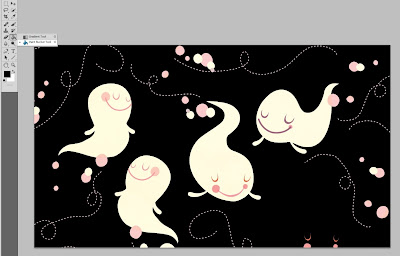
...some printing on patterned paper...
and a solid image can become
paper piecing:


as well as an image to stick those paper pieces onto
or simply one to colour in. :o)


...make solid Stampin' Up digital images into Outline images
...convert Stampin' Up digital image PNGs into colour (using Photoshop)


If you've been checking out the Stampin Up salebration catalogue,
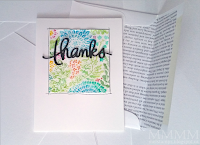
you might recognize this image
(or it's Mommy the solid image version)...


This image comes in a stamp as well, but this post is all about
how it comes in the saleabration digital freebie
(along with digi files of all the sets in the SAB catty)
and how you can do LOTs of thing with all that stuff...

Little note: I don't sell S.U. and this obviously isn't a finished card, but since saleabration only goes until the 31st of March, I thought I'd post this digital tutorial right away--in case it might help some people decide whether they want that digital image kit with all the images in the Salebration catty or not.

Here's some more of that set altered in a few different ways:


make Solid Stampin' Up Digital Images
into Outline images
(in Photoshop):

This tutorial uses the flourish from
the digital version of the Bliss set:

Step 1) Open your file in Photoshop & choose the Filter tab:


Step 2)
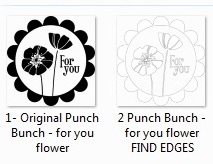
Select Stylize then choose Find Edges:


This is what Find Edges will do for you:


...at least it will do with these Stampin' Up solid images;
it doesn't always work with every image out there).

Step 3) If you want to make your image darker or lighter,
you can alter the brightness or contrast.

Click the Image tab, then select Adjustments and choose Brightness/Contrast:


Then slide the scale to where you would like it.
I made the lines darker here by reducing the brightness:


You can also make the image into a Photoshop brush
and make a patterned paper with it
(There's a tutorial for how to do that in this older post of mine).

Here's one patterned digital paper I made:


I lightened the Photoshop brush that I made by reducing the opacity
It made a grey pattern that takes very little ink to print & is nice and soft...

You can also change the size of the brush (smaller or larger):


If you want you can even make coloured papers.
However, these S.U. images seem to require converting before they will
make coloured patterns (or let you change the colours of them at all).

Here's one way to do that...

convert black & white digi into colour
(again using Photoshop):

Step 1) Open your file in Photoshop & choose the Edit tab
then choose Convert to Profile:


It will open up a box. Select the profile you like.
I wasn't exactly sure which one to use, but
ColorMatch RGB worked just dandy...

...click okay to select the color profile:


It won't seem like much has happened since your image still appears black but...

if you go up to the Image tab, then choose Adjustments
and select Hue/Saturation you can lighten the image
(to allow the colour to show up):


Just slide the Lightness scale to the right to make
the image less saturated or lighter:


You could print the image gray, if that tickles your fancy or...

You can colour it.
Go up to the Image tab again and select Adjustments, then chose Colour Balance:


Slide the scales to get the colours you want:


It is such a blast to slide the scales around
and change the colours!
:o)

And this may be stating the obvious, but you
could colour the outline in the same way as I coloured this
solid version of the flourish.

If you want to use a photoshop brush in colour,
simply convert it to colour before you make it.


Happy Crafting!


P.S. No photoshop? Here's another method of recolouring

P.P.S. Gimp is a great free/open source alternative to Photoshop (I use Photoshop since I have it I find it easy to try & fuddle my way through.) ;o)

P.P.S.This post is unsolicited & I'm not affiliated with Stampin Up, or any company here, in any way. I just thought this would be something nifty to share with ya.

Wednesday, February 23, 2011

C.A.S. Vintage Style Button Card (with circle punch paper buttons)

A while back, the fabulous Graphics Fairy, Karen, shared a gorgeous (and free) vintage button card graphic. I thought it'd be nice to make some fake vintage buttons to go on it as a little all-in-one crafter's gift: a card with removable paper buttons as a little built-in embellishment present.

faux vintage button card by mel stampz with graphics fairy image

[Confession: If my mojo was intact, I'd have made a dozen of these faux buttons to put on the card in 3 rows of 4, but I figured rather than posting nothing at all, I'd simply post a project that was C.A.S. (Clad Almost Scantily or is that Clean And Simple?)] teeheehee ;o)

The buttons are paper buttons made with fairly standard supplies
(hopefully found in the average crafter's stash)...
Gotta love making things that are nearly free, no?


Make a vintage style button card
with removable
faux button embellishments:

(Sorry this is not a pictorial. I've been wiped out lately,
so I just wrote out the steps to make them, in case
you might like to try something similar).


for the card:
-neutral cardstock
-computer & printer
-button card graphic from The Graphics Fairy here
-wax paper
-paper piercer (or a needle/pin)
-needle & thread
-scissors (to round corners & distress)

for the buttons:
-watercolour paper
-5/8" circle punch
-scissors
-stylus or the rounded end of a pen/paintbrush
-pearlescent paint & paintbrush
-1/4" square punch
-Alene's Tack it Over & Over


To make the card:
(with a bit of wax paper to make the
button embellishments removable)

1) Adjust the colour of the graphic (I added a little more blue tint)

2) Print it on neutral cardstock (this is speckled white) I printed the image out of Photoshop at 25% (Karen shares her images in BIG beautiful sizes for great quality). If you like you can round the corners (using scissors or a punch) and distress the edge of the card. I sanded some of the printer ink off which was fun.

3) Cut a piece of wax paper to fit (just larger than the black outline on the card)

4) To adhere the wax paper without any unsightly adhesive (and add a bit of sewing). Use a machine or stitch by hand: I added hand stitching: pierce along the outline; hold or temporarily tape the wax paper over that piercing and use the holes as guide to pierce it as well. Stitch the wax paper on. (I used black thread).


To make the faux buttons:

1) Take a scrap of watercolour paper & punch several circles out of it with a 5/8" inch circle punch--or whatever size you like.

2) Cut little triangular shaped divots into the outer edge of the circle with scissors. I didn't worry about making them perfect, since irregularity is more shabby chic, right?

3) Shape the circles, so they are concave (or dented-in bowl style, for non-scientific types like me) ;) by impressing them with a stylus or the end of a pen/paintbrush. (I like to use a piece of funfoam or a soft mouse pad underneath them to cushion things & make shaping easier).

4) Paint the shaped circles with shimmery paint (or lumiere, perfect pearls, shimmerz, or spray with glimmer mist or whatnot...)

5) Reshape them a little again (if necessary after getting them wet with the shimmery stuff) & let them dry.


To get an antique-y crackle finish on the buttons:
(and a vintage rhinestone look)

1) Add a layer of distress crackle paint-Rock Candy (which is clear) or a glaze of lacquer glue like Judikin's diamond glaze/crystal effects) if you prefer.

2) Adhere a swarovski crystal gem in the center of the button.

3) Let the buttons dry. While they are still slightly malleable, check to make sure they are still the shape you want them to be.

faux vintage button card by mel stampz  layered punched squares as backs

To give them 'button backs' for dimension:
(and make them removable):

1) Punch some more scraps of watercolour or thicker paper using a small 1/4" square punch (or in whatever size matches your button size). You could use circles instead of squares, if you like, and/or cut them freehand, of course.

2) Glue several together of the backing squares atop one another--until they will make the buttons are the height you like. I used 4 squares layered on each other. (You could use foam dimensional adhesive pieces if you prefer. I ran out of them).

3) Adhere the backs to the back of your rounded buttons & let them dry.

4) To make them repositionable (so they'll come off of the waxpaper panel and be sticky for use): Add a bit of Alene's Tack it Over & Over on the back and let dry in a safe spot until clear. (Once dry Tack it Over & Over will maintain stickiness and they'll be removable from the wax paper). Tombow monomulti is an alternative since it will stay sticky as well, but I find Alene's more affordable and very similarly priced.

Clickable blogger thumbnails:


Thanks so much for having a look
Hope you're having a lovely week,


P.S. This is an unsolicited post. :o)

P.P.S. On a more personal note: Charles is healing nicely. Unfortunately, he had a bit of a set-back and the surgeon was quite worried his knee wasn't getting the right range of motion, but he's been working hard at recovery & we think he's doing much better now.

And Miss Mouse thanks you for not laughing at her chubby tummy & she sends you all kitty snuggles (bonus for the poor allergy sufferers: they are fur and dander-free internet snuggles!) ;0)

Monday, February 14, 2011

mouse may never forgive me!

i am so cute with my little chubby tummy:


i am so sleepy sleepy cute with my little heart-shaped chubby tummy:


HEY! Wait! WHY do you interrupt my cute sleepiness
to take pictures of my chubby tummy!?!:


May you have a heart-shaped-chubby-tummy-feeling
kind of Valentine's Day!

oxo

Thursday, February 10, 2011

Everything I've Ever Made (at a glance)

Are you a highly visual person?
I am, and it dawned on me that the ol' blog
was not very visually organized...

craft collage mel stampz

So, it seemed like it might be time to start with a little house keeping here.
Hence, this post is a visual overview of my blog history--
with thumbnails that are linked to tutorials/templates
for pretty much everything I've ever made
, to date.

(It may take a while to load all these photos, sorry.)


Just click the images to visit that post
(most have step by step tutorials & templates or freebies)

Knotty tree cards:
5 Willow Squigglefly card mel stampz1 Willow Squigglefly card mel stampz

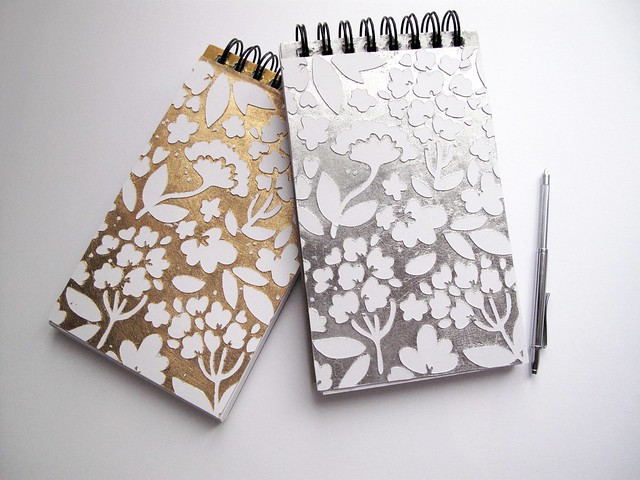
DIY Notebook 2 ways (tutorial):
Tiffany Doodles Couch notebooks collage mel stampz copy

Halloween Cards:
snow white poison apple cardsnow white poison apple window card (inside)
Apothescary jar freebie card mel stampzbutton your eyes coraline cardapothescary jars & shelf digi freebie mel stampz

13 High resolution Crow labels:
13 Crow Labels collage mel stampzmy crow photo turned label card

Turn a solid image into an outline with a shadow & Poe papers:
Hero Arts haunted house window card by mel stampzStep 5)  Paste the outline white image over original black silhouette. Use move tool to reveal shadow

Digital paper snippet as focal image:
Family of Four Matilda CC papers mel stampz

How to use overlays to reinterpret
your pattern papers:
circle overlay collage

Gift stack card & paper freebies:
MFT top shelf gift stack cardLedger 3 Print fit-to-page or on 12 inch or legal paper

6-petal Ornate flower template (And various cutting files):


Interactive bat window card:
bats in the window card mel stampzbat window card Hero Arts inside

Snowy embossed Merry Kissmas card:
Merry Kissmas card and envelope

Pressure Embossing ink Resist tutorial:


Black cat lamp hanging:
lamp hanging pin hole stars mel stampz

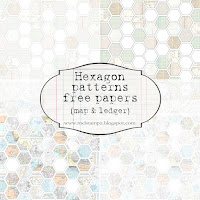
DIY Hexagon paper template & free ready to print papers:

Quick faux paper-piecing (from digi paper pack 'cover'):
Printed digital preview sheet mel stampzcosmo cricket filled hexagon papers

Office sign:
MFT C's office hours sign -mel stampz

and i made this mess:


Sleeping Beauty card (and free digis)

Mushroom card & a bit of sky printable:
Cat's Pajama's Lovey-Dovey mushrooms

Polaroid beach box
(free template-with photo or blank)


Wooden canvas (with secret box in back)


Additions to the wooden canvas auction:
back of wooden canvas secret boxmini letter notebookLinkSSD emboss resist shimmer notebookcameras closeA Day for Daisies poppies notebook

Ribbon sketch challenge
Amber Ink Ribbon Challenge card-mel stampz

Turning a line art image into a silhouette:

amber ink Hostess use paint bucket to fill Black 78%Amber Ink Hostess_magic pattern silhouette

How to make a speedy PDF
(with multiple images)
PDF TUT lining an envelope_mel stampz

Quick trick for lining any envelope:


Mini polaroid flippers card:
Amber Ink Flippers Polaroid card

Skipping Stones Design Grunge cards...
Skipping Stones Designs HB smallskipping stones design get well card
...with a tutorial for how to make
DIY thickers reversed alphabet stamp
(for kissing embossing folders):


Amber Ink purse gift set
Amber Ink purse card & box_mel stampz


Leather look embossed purse box (using crayons)
red crayon rubbed embossing pursecrayonsbottom & sides stitched
(the free template is linked there too)


How to make custom patterns &
use them to fill images:

Cut out pressure embossing pictorial

(and general embossing pointers)

Cut out pressure embossing

(and men's suiting pattern freebie)

Emboss & Colour fabric:

(and Fish dictionary text paper freebie)


Solid digital image turned outline image:


digital flower image freebies


Little Nymph & beaded starry sky:
a day for daisies pixie at night by mel stampz with graphics fairy castle

Mini floral-wire Bouquet card &
silver leaf on sticky-back canvas:


Bunny with a ribbon TuTu card (tutorial):


my craft studio before & after:
&
distress ink sides
[also in that post: ideas for distress ink/other brand ink labels]


1 minute rainbow doily:
doily sprayed with DIY glimmer mists mel stampz

Popcorn Box ...with Liner & Trim:
(a whack of new free templates)


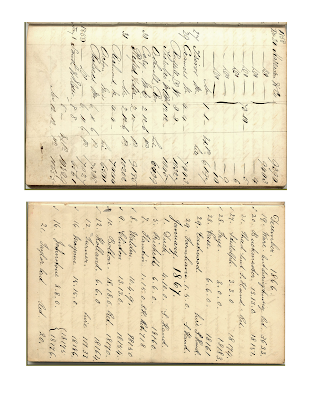
A large variety of free vintage or antique style ledger papers:
1923 +1924 Ledgercreative process 8-5 x 12 inches

Firefly card:
(and a variety of free text digi papers)


&
&

&&
&&
&
&&
&
MFT Sheltering Tree 4.5 inch square box template collection&&sewing themed freebie mel stampz
&&
&&MFT Baby Bump
&
cutting punched flowers tutorial:


&
card tutorial

&
&
&&
&
&
&&
&&
&&


texture shot Btexture shot A


&
MFT robot nuts & bolts mel stampz&


&
&
&
&
PGP snowy embossed Winter Wonderland mel stampz&Purple Onion Design Frosty gift box (mel stampz)&adhere animals

Mo's Digital Pencil Skating mel stampz&Mo's Digital Pencil Sam in Trouble Kid's sketchbook mel stampz
&&
&

&
&
<span class=
<span class=&&
PaperTemptress-GingerSnapChestnut-Challenge_mel_stampz
Caardvarks CCM Recipe Book melstampz&<span class=

&
<span class=


&&Swine flu (Mo's Digital Pencil) melstampz
&
&&
&
caardvarks Studio Calico SATURday melstampz&caardvarks Studio Calico FRIday melstampz&caardvarks Studio Calico THURSday melstampz
&&&
&&
POD purse by melstampz - Copy (2)&&myGrafico retirement flamingo box (melstampz) 600ishPX

&

&
&

&
&&
&
&

&


POD tree set by melstampz

Quilted Dry embossed squares:

...and.....
Armoire Box tutorial

&&
&&
&
free digital images link list:


&&Mothers Day flowers Paper Temptress
&&
Crafter's traveling lap desk:


magnetic skater card:


&&
&&&
&&&
&&
&
&
Square label templates & Rectangles
&


Dragonfly...Beaded bucket Box...Stamp & Cut flower...Tall box/Double stitching
&&
&&

&

Marker Links ................... Altering Brads:
&

Gesso Posts:


Patterned Gesso cardstock
(DIY Designer Paper) & dresses template


CTMH Marker Faux-watercolour
(on patterned gesso c.s.)
:

(Faux Watercolour resist there too)


More Gesso Stuff here:
Tricks with patterned paper:


Printing & embossing clip art on Gesso Cardstock
(Faux watercolour with CTMH markers):


and another computer printed example:


Paper Garden Projects Winter Wonderland Crafts:
1)Photo Snowpeople Boxes 2)Snow hill gift Box 3)Snowmen treat boxes
&&

1) Stitched Snowflakes 2)Vellum Window Stickers 3)Colouring Card
&&

1) Frosted Snow hills 2) Winter Book 3) Sled Slider
&&

More Paper Garden Projects:
Punched acetate tags and Pearlescent Black Magic
&

1) Puttin' on the Glitz set 2) Damask Flowers
3) Magic Pattern Silhouette
&&

Halloween Stuff:
1) Halloweenie Paper Garden Projects Index

skeleton puppet theatre front
witch silhouette cards & tote & envelopes

2) Tombstones templates & other stuff 3) 100+ Halloween Links:

& &

Little Paper Shop Projects:

&&

Gina K projects:
1) Year of Flowers Stamper's Sketchbook 2) "Have a Cookie" Box...
&&

&&

Dress Templates:
&&

Scanned Text Freebies:
"Dream" Dictionary definition......Merry Christmas...................Crafting text
&&

Storage Ideas:

framed stamp storage:
Various Storage Suggestions


Nestabilities corkboard storage:


Nesties Templates


I'll return to this post to add new projects as they come along... titles for the pictures (and anything I missed) when I get my new computer in a week or so (YAY!) This poor little cheapo oldie computer of mine is so slow it's rather difficult to type! Time to retire it to somewhere where it'll be taxed with less photo storage. (Do you hoard photos? Man, do I ever!)

Thank You ever so much for having a look!